Bug Reports
To produce a valid bug report, please include the following:
- Version number
- How to reproduce the bug
- A screenshot
- Additional Info (optional)
How to report a bug
-
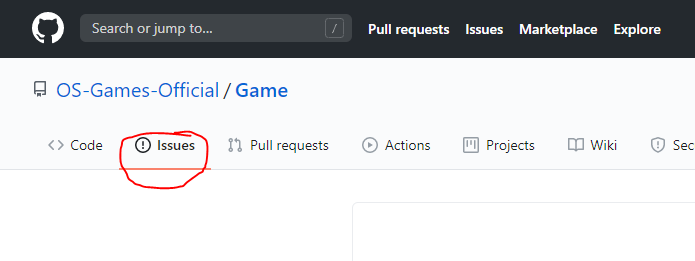
Go to the ‘Issues’ tab
-
Click the ‘New Issue’ button
-
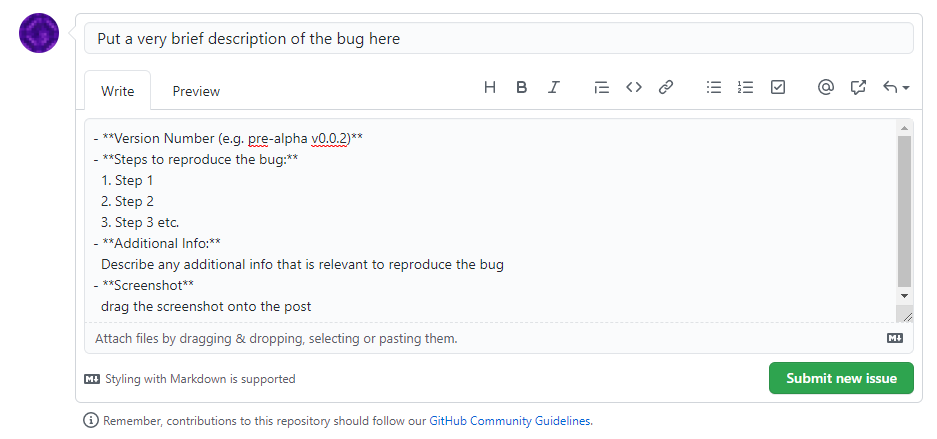
Describe the bug as documented below
-
Once you have documented the bug, press ‘Submit new issue’
-
The developer(s) will review the bug and it will be marked as resolved
Example Bug report
Bug Title
- Version Number: pre-alpha v0.0.x
- Steps to reproduce
- Do something
- Do something else
- The bug will do something
- Additional Info Additional information that is relevant to the bug.
- Screenshot Attach screenshot of bug